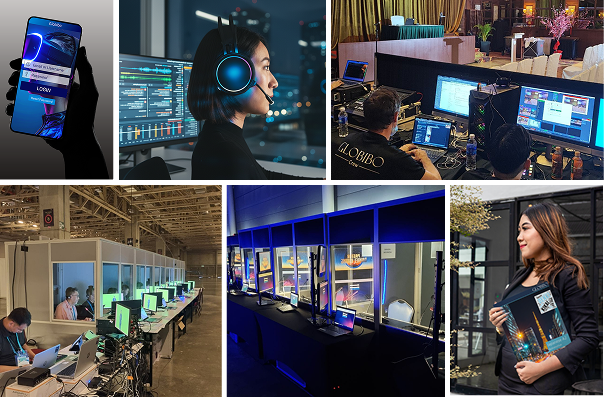
The rise of hybrid events—integrating both in-person and virtual components—has revolutionized the event industry, expanding reach and enhancing engagement. At the heart of this transformation are event apps training, pivotal in seamlessly connecting on-site and remote participants. This comprehensive article explores the multifaceted role of event apps in hybrid events, detailing their features, benefits, and best practices to ensure a successful and inclusive event experience.
Defining Hybrid Events
Hybrid events combine the traditional elements of face-to-face gatherings with the convenience and accessibility of virtual participation. This format aims to cater to a diverse audience, maximizing reach and engagement by bridging the physical and digital divide. Hybrid events are characterized by:
- Physical Venue: A location where in-person attendees gather.
- Virtual Platform: An online environment where remote participants join the event.
- Integrated Experience: A cohesive experience that allows seamless interaction between in-person and virtual attendees.
The Role of Event Apps in Hybrid Events
Future of event apps are crucial in managing and enhancing hybrid events, serving as the technological bridge between physical and digital components. Their role encompasses:
- Enhancing Interaction: Facilitating real-time engagement through interactive features such as live polls, Q&A sessions, and chat functions.
- Streamlining Communication: Providing a centralized platform for disseminating updates, schedules, and announcements.
- Personalizing Experiences: Offering customization options for agendas, notifications, and content relevant to attendees’ interests.

Key Features of Event Apps for Hybrid Events
Event apps for hybrid events should incorporate a range of features to support seamless integration and interaction. These features ensure that both in-person and virtual attendees have access to the same level of engagement and information.

Real-Time Interaction
Live Streaming and On-Demand Content
- Live Streaming: Enables real-time broadcasting of sessions, keynotes, and panel discussions, allowing virtual attendees to participate as if they were physically present.
- On-Demand Content: Provides access to recorded sessions and content after the event, ensuring that attendees can view missed sessions at their convenience.
Interactive Q&A and Polling
- Live Q&A: Facilitates real-time question submission and responses, allowing remote participants to interact with speakers and panelists.
- Polling: Engages attendees through live polls and surveys, providing immediate feedback and enhancing participation.
Read more on Event Apps an Excellent Way for Managing the Event
Networking Opportunities
Virtual Networking Lounges
- Online Networking Areas: Virtual spaces where attendees can engage in discussions, network, and participate in informal chats, replicating the networking experience of physical events.
- Breakout Rooms: Allows smaller, focused discussions or workshops within the virtual environment.
Attendee Matching
- Interest-Based Matching: Uses algorithms to connect attendees with similar interests or professional backgrounds, facilitating meaningful networking opportunities.
- Scheduled Networking Sessions: Enables attendees to schedule meetings with others based on mutual availability and interests.
Comprehensive Event Information
Agenda Management
- Customizable Schedules: Allows attendees to view and tailor their event schedules, including access to session details, speaker information, and location maps.
- Event Updates: Provides real-time updates and notifications about schedule changes, session start times, and important announcements.
Interactive Maps
- Venue Maps: Interactive maps for in-person attendees to navigate the physical event space, including session rooms, exhibitor booths, and amenities.
- Virtual Platform Maps: Maps of the digital event environment, including breakout rooms, exhibitor areas, and networking lounges.
Integration with Other Tools
CRM and Marketing Integration
- CRM Integration: Syncs with Customer Relationship Management (CRM) systems to streamline communication with attendees, track engagement, and manage registrations.
- Marketing Tools Integration: Connects with marketing platforms for targeted promotions, email campaigns, and social media engagement.
Analytics and Reporting
- Attendee Analytics: Provides detailed insights into attendee behavior, engagement levels, session popularity, and interaction metrics.
- Post-Event Reporting: Generates reports to assess the event’s success, including feedback analysis, participation rates, and content effectiveness.
Benefits of Event Apps in Hybrid Events
Event apps offer a range of benefits that enhance the effectiveness and inclusivity of hybrid events. Here’s a detailed exploration of these advantages:
| Benefit | Description |
| Increased Reach | Expands the event’s audience by including remote participants from various locations worldwide. |
| Enhanced Engagement | Encourages active participation through interactive features, improving attendee involvement. |
| Cost Efficiency | Reduces expenses associated with physical event management, such as printing, venue logistics, and materials. |
| Data Collection | Gathers comprehensive data on attendee behavior, preferences, and engagement, aiding in future event planning. |
| Flexibility | Provides options for attendees to participate according to their preferences, whether in-person or remotely. |
| Accessibility | Ensures that events are accessible to individuals who may have mobility issues or other constraints that prevent physical attendance. |
Best Practices for Implementing Event Apps
To fully leverage the capabilities of event apps, it’s essential to follow best practices for selection, implementation, and utilization. Here’s an in-depth guide:
Select the Right Platform
Choosing the appropriate event app is crucial for a successful hybrid event. Consider the following factors:
- Feature Set: Ensure the app offers necessary features such as live streaming, interactive tools, and networking options.
- Scalability: The app should accommodate the expected number of participants, both in-person and virtual, without performance issues.
- Integration Capabilities: Verify how well the app integrates with other tools and systems used in your event, such as CRM and marketing platforms.

Prioritize User Experience
A seamless user experience is essential for attendee satisfaction. Focus on:
- Intuitive Design: The app should have a user-friendly interface, making it easy for attendees to navigate and access features.
- Accessibility Features: Incorporate features like screen readers, adjustable font sizes, and color contrast options to ensure inclusivity for all users.
Conduct Thorough Testing
Testing is critical to ensure the app functions as expected. Key areas to test include:
- Functionality: Test all features, including live streaming, interactive tools, and networking functions, to ensure they work correctly.
- Load Performance: Conduct load testing to verify that the app can handle the number of users expected during peak times.
- Compatibility: Ensure the app is compatible with various devices, operating systems, and browsers.
Provide Training and Support
Training and support are vital for a smooth event experience. Implement the following:
- Training Sessions: Provide training for event staff and attendees to familiarize them with the app’s features and functionalities.
- Technical Support: Offer technical support during the event to address any issues that arise and ensure a seamless experience for all users.
Collect and Analyze Feedback
Gathering feedback is crucial for continuous improvement. Focus on:
- Feedback Collection: Use surveys, polls, and direct feedback to gather insights from attendees about their experience with the app.
- Analysis and Improvement: Analyze feedback to identify areas for improvement and apply insights to enhance future events.
Read more on Event-Performance Management made in Asia
Case Studies and Examples
Case Study 1: Global Tech Conference
Overview: The Global Tech Conference utilized an advanced event app to facilitate a hybrid format with over 5,000 attendees globally.
Features Implemented:
- Live streaming of keynote sessions and breakout discussions.
- Virtual networking lounges and attendee matching algorithms.
- Integration with CRM for streamlined registration and communication.
Results:
- Increased Reach: Expanded the audience to include international participants.
- Enhanced Engagement: High levels of interaction through live Q&A and polling.
- Positive Feedback: Attendees appreciated the seamless integration of virtual and in-person experiences.
Case Study 2: Annual Healthcare Summit
Overview: The Annual Healthcare Summit adopted a comprehensive event app to manage a hybrid event with both in-person and virtual components.
Features Implemented:
- On-demand access to recorded sessions and interactive maps for in-person attendees.
- Virtual exhibit halls and networking opportunities for remote participants.
- Detailed analytics and reporting to assess attendee engagement.
Results:
- Cost Efficiency: Reduced costs related to printed materials and on-site logistics.
- Data Insights: Valuable data on attendee preferences and session popularity.
- Improved Accessibility: Enabled participation from healthcare professionals who could not attend in person.
Future Trends in Event Apps for Hybrid Events
As technology continues to advance, event apps will evolve to offer even more innovative features and capabilities. Key trends and insight to watch include:
- Augmented Reality (AR) and Virtual Reality (VR): Integration of AR and VR technologies to create immersive event experiences for both in-person and virtual attendees.
- Artificial Intelligence (AI): Enhanced AI capabilities for personalized recommendations, automated customer support, and advanced analytics.
- Blockchain Technology: Adoption of blockchain for secure and transparent ticketing, credential verification, and data privacy.

Event Apps for Hybrid Events Summary
Event apps are indispensable for the successful execution of hybrid events, providing essential tools to bridge the gap between physical and virtual experiences. By incorporating features such as live streaming, interactive engagement, and comprehensive information management, event apps ensure a unified and enriching experience for all participants. Adhering to best practices in app selection, implementation, and utilization will enhance the effectiveness of hybrid events, making them more inclusive and impactful. As the event industry continues to evolve, leveraging technological advancements will be crucial in creating memorable and successful hybrid events that connect diverse audiences across the globe.
Academic References on Event Apps for Hybrid Events
- [BOOK] Event Success: Maximizing the Business Impact of In–person, Virtual, and Hybrid Experiences
- Revolutionizing Events: Exploring the Seamless Integration of Robots in Hybrid and Virtual Experiences
- Emerging standards and the hybrid model for organizing scientific events during and after the COVID-19 pandemic
- [PDF] THE RISE OF VIRTUAL EVENTS: EVALUATING MARKETING PERFORMANCE IN THE POST-COVID-19 ERA
- Supporting community building at corporate hybrid events: a double diamond process
- Bridging the hybridity gap: connecting online and onsite participants through peer learning circles at hybrid events
- [BOOK] Suddenly hybrid: Managing the modern meeting
- [PDF] Experience Technology. How the Creative Industries Help Increase the Audience Engagement at Virtual and Hybrid Events
- Hybrid and virtual conferencing modes versus traditional face-to-face conference delivery: A conference industry perspective
- [BOOK] The virtual ticket: The event manager’s guide to live streaming engaging virtual events